LIBBY APP REDESIGN
Timeline: 4 weeks
Software: Figma
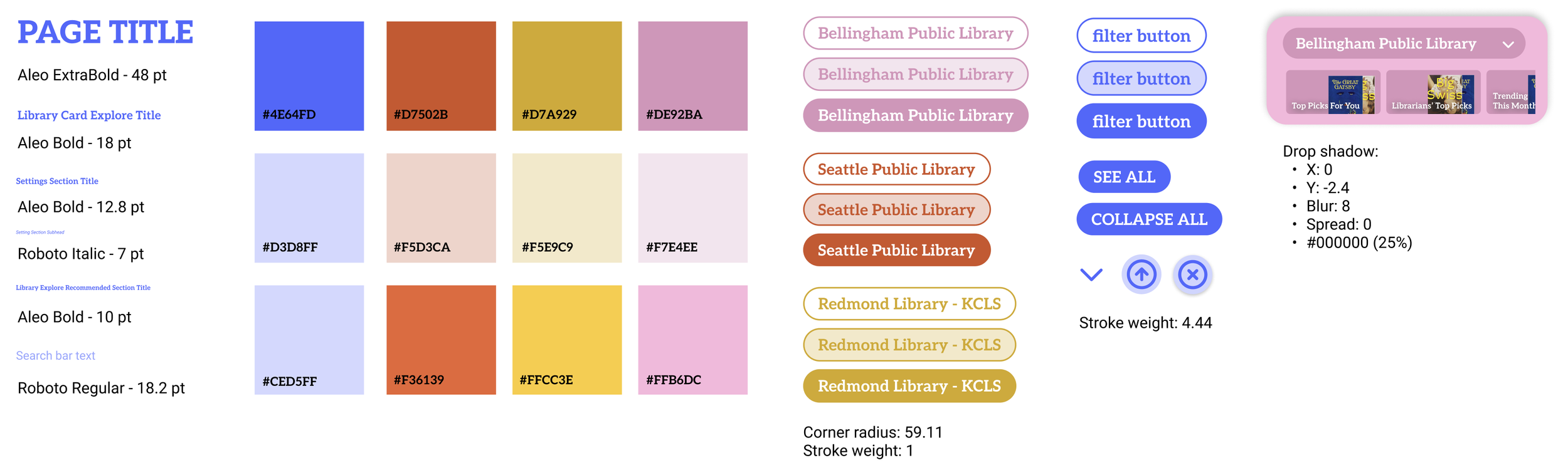
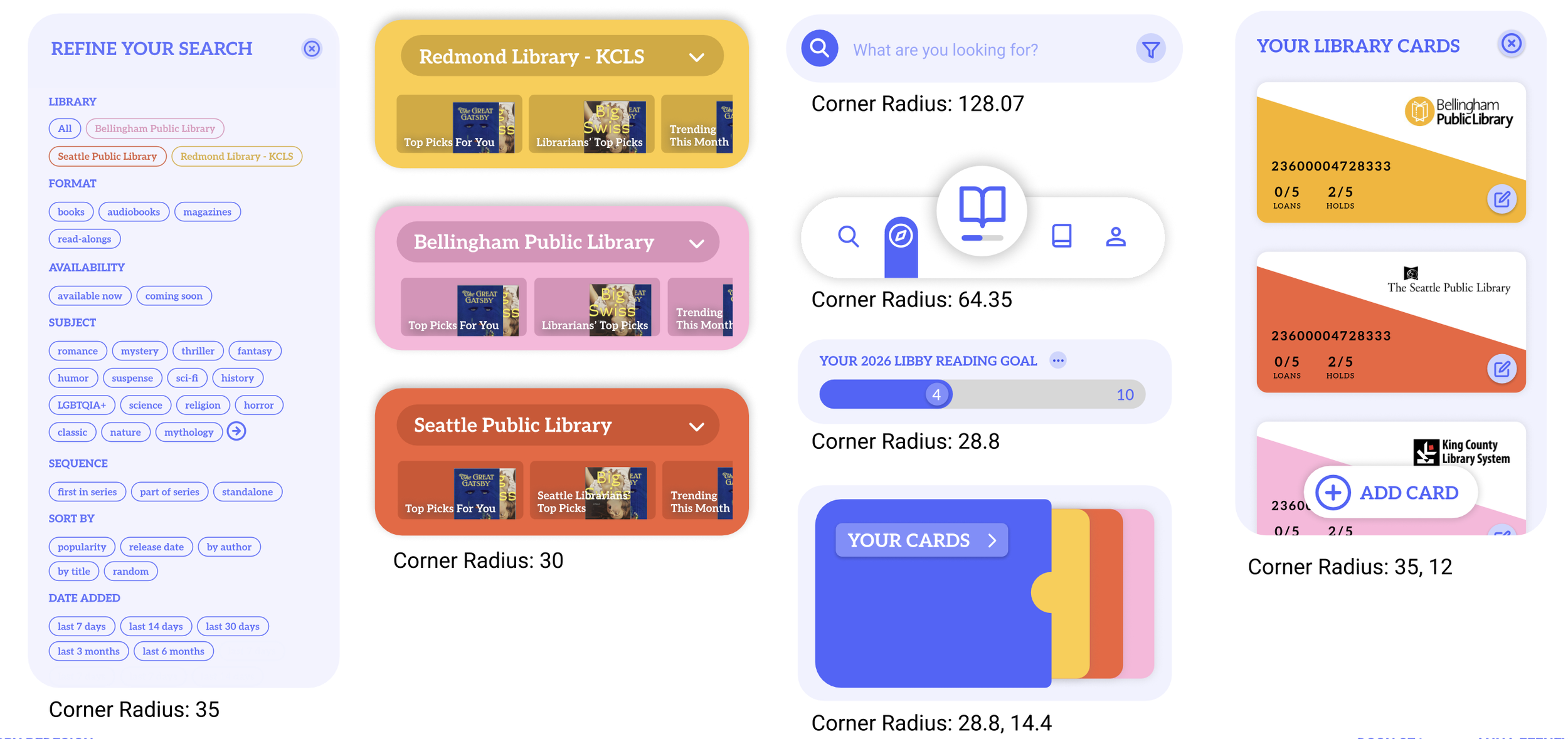
For this project, I was tasked to give a “makeover” to an outdated application of my choice. Through research and visual testing, I implemented a new visual strategy to give a new life to the brand. This makeover includes reworking the user flow and a reapplication of the branding including typography, buttons, colors, grid/layout, icons, various UI components. I refreshed three screens and user flows, and created a new comprehensive UI pattern library.
Libby is a free-to-use app developed by OverDrive, Inc. that allows users to borrow books, ebooks, audiobooks, and other digital materials from public libraries. Libby’s mission is to make reading more accessible, with features such as device syncing, Kindle connection, and book tags. Libby’s messaging is warm, positive, and personal, using language such as “brought to you by your local” library, and “built with love”.
ABOUT LIBBY
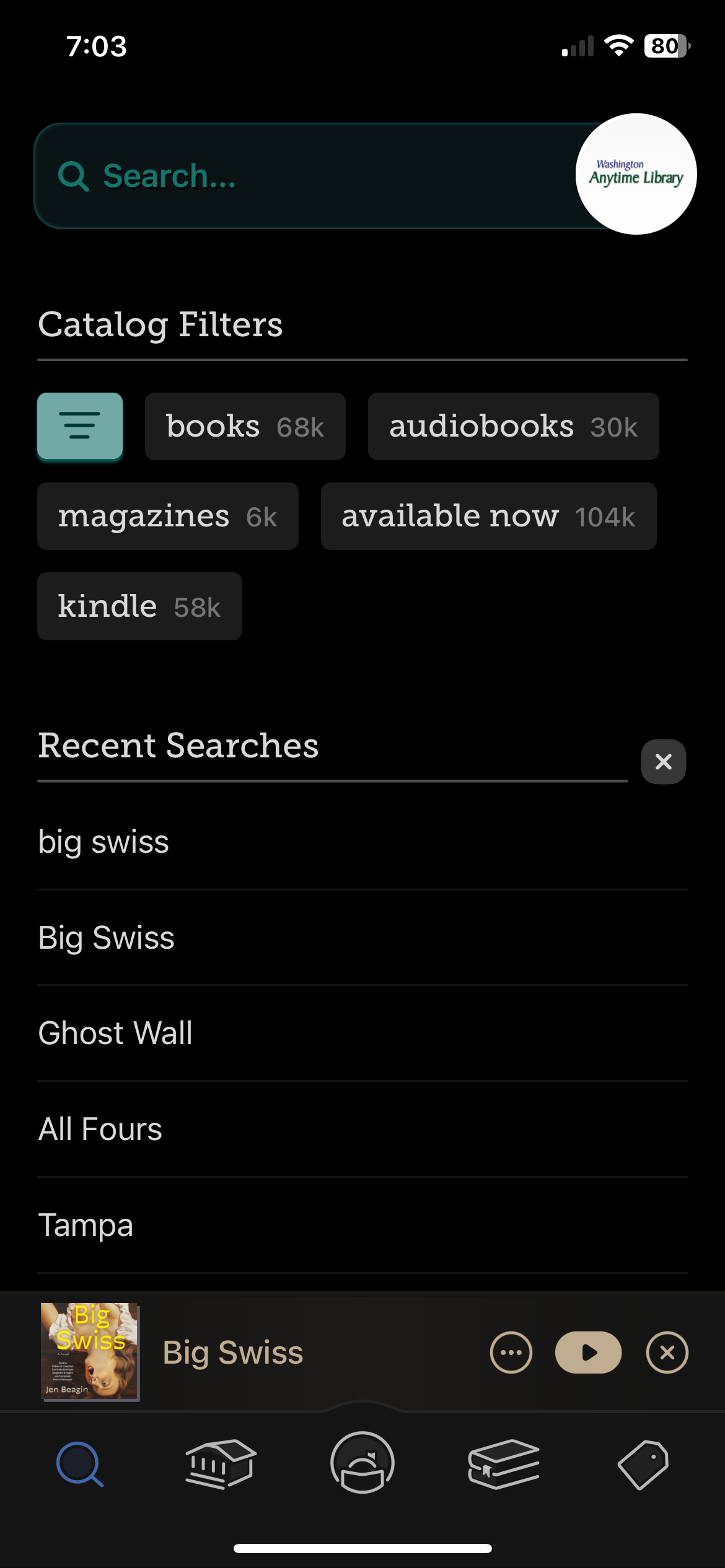
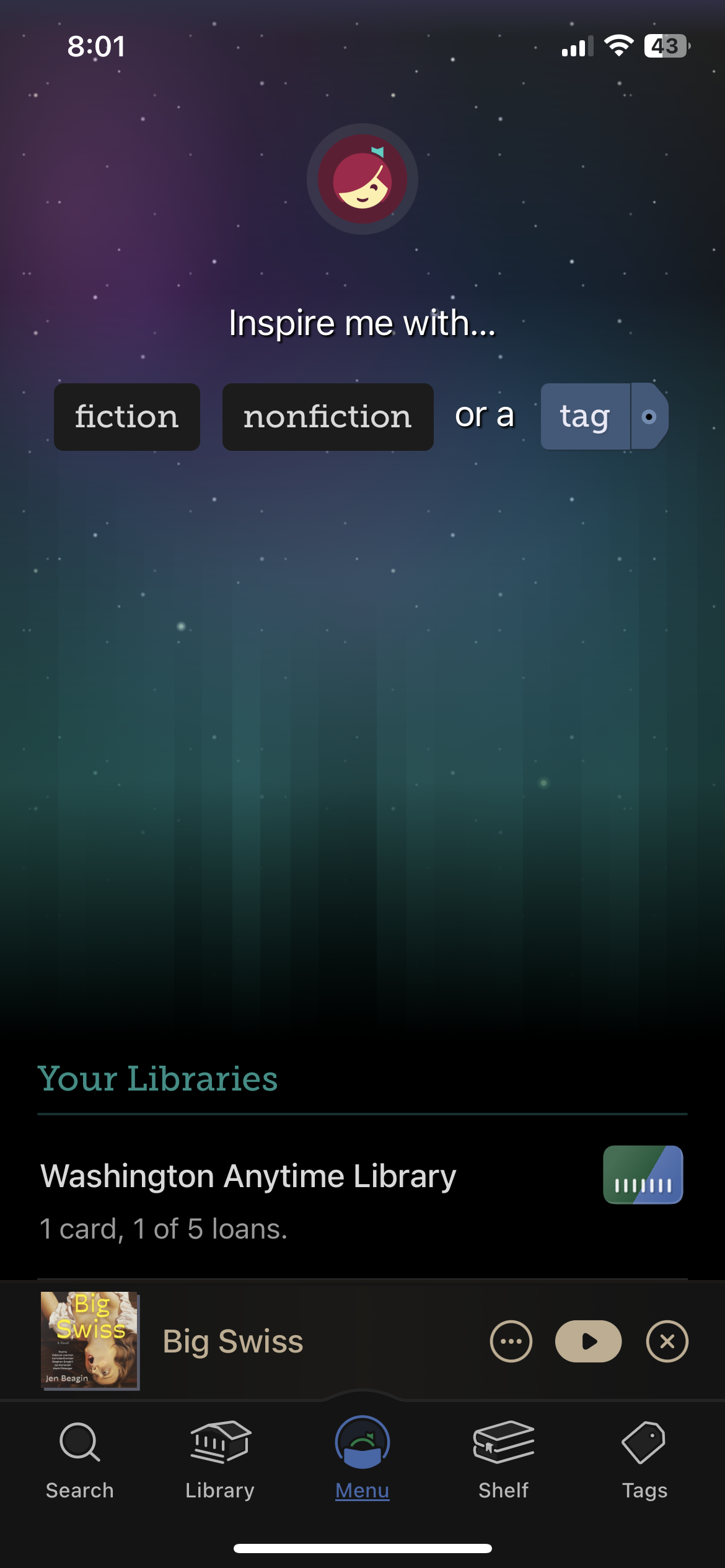
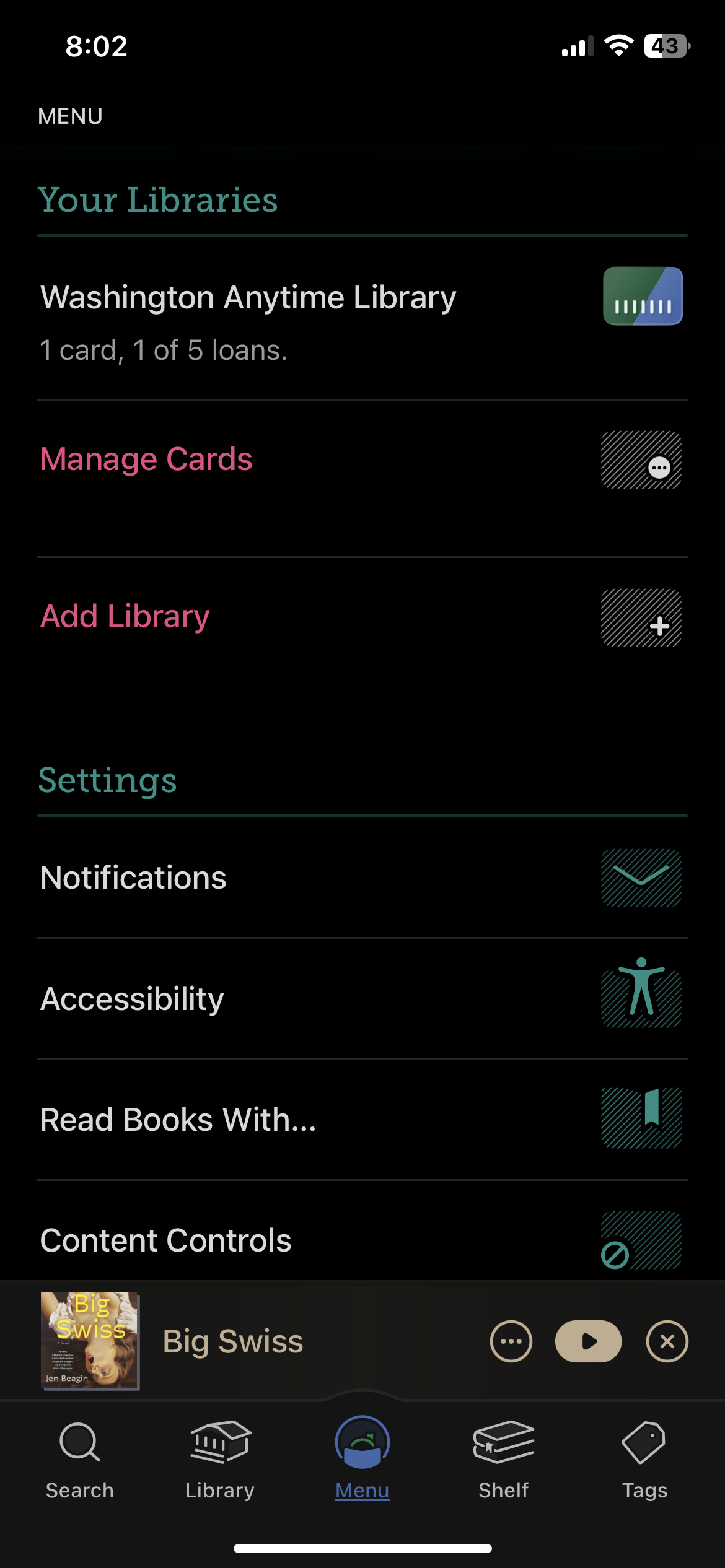
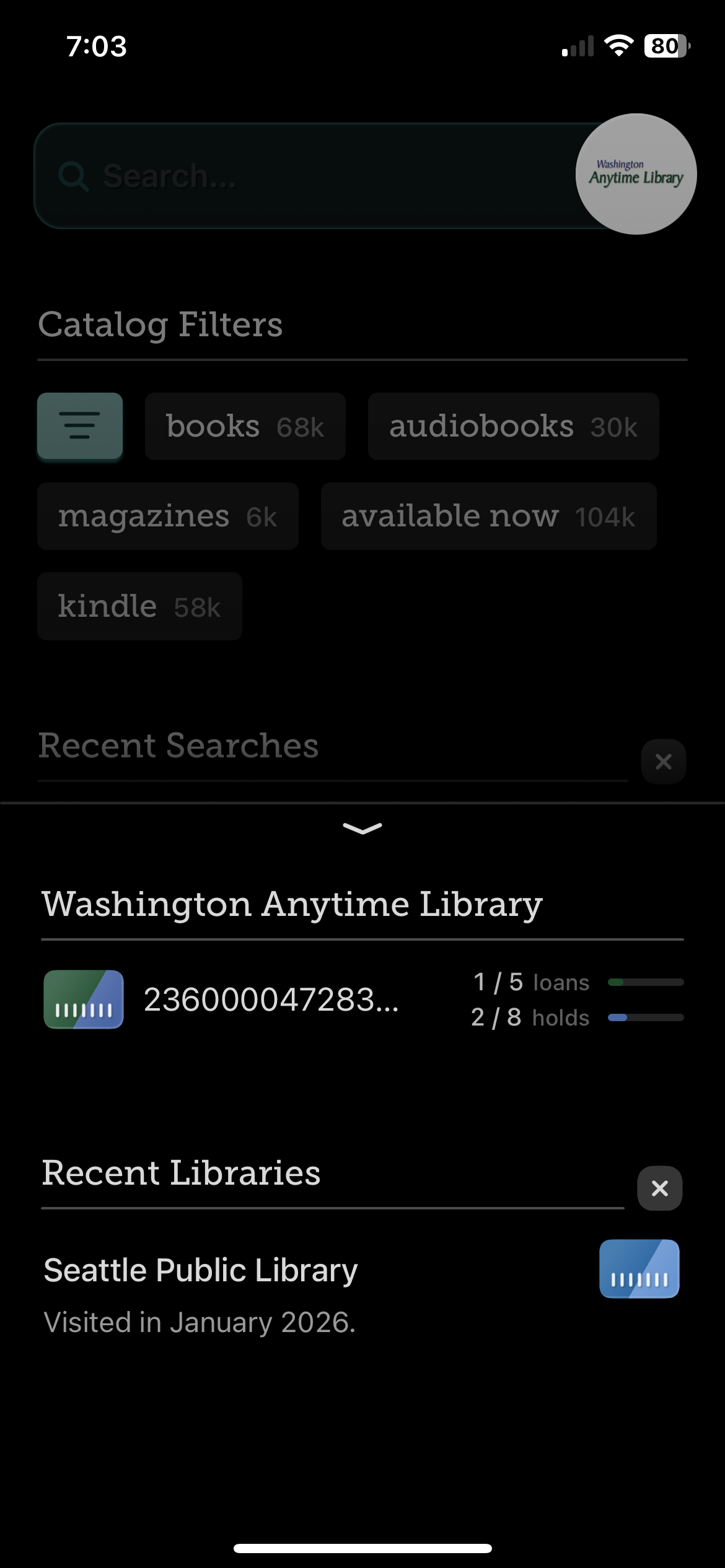
CURRENT SCREENS
PAIN POINTS
Page and app organization is random and confusing, leading to frustration.
Too much info per page, seeming cluttered.
Icons are unrecognizable.
Menu page in particular did not make sense to anyone.
OPPORTUNITIES
A Profile or Settings page to host settings,
notifications, accessibility, etc.
Improved hierarchy and text organization to better find desired info.
Combine Library and Search pages for better organization, and add an Explore page for recommendations from your libraries based on previous loans.
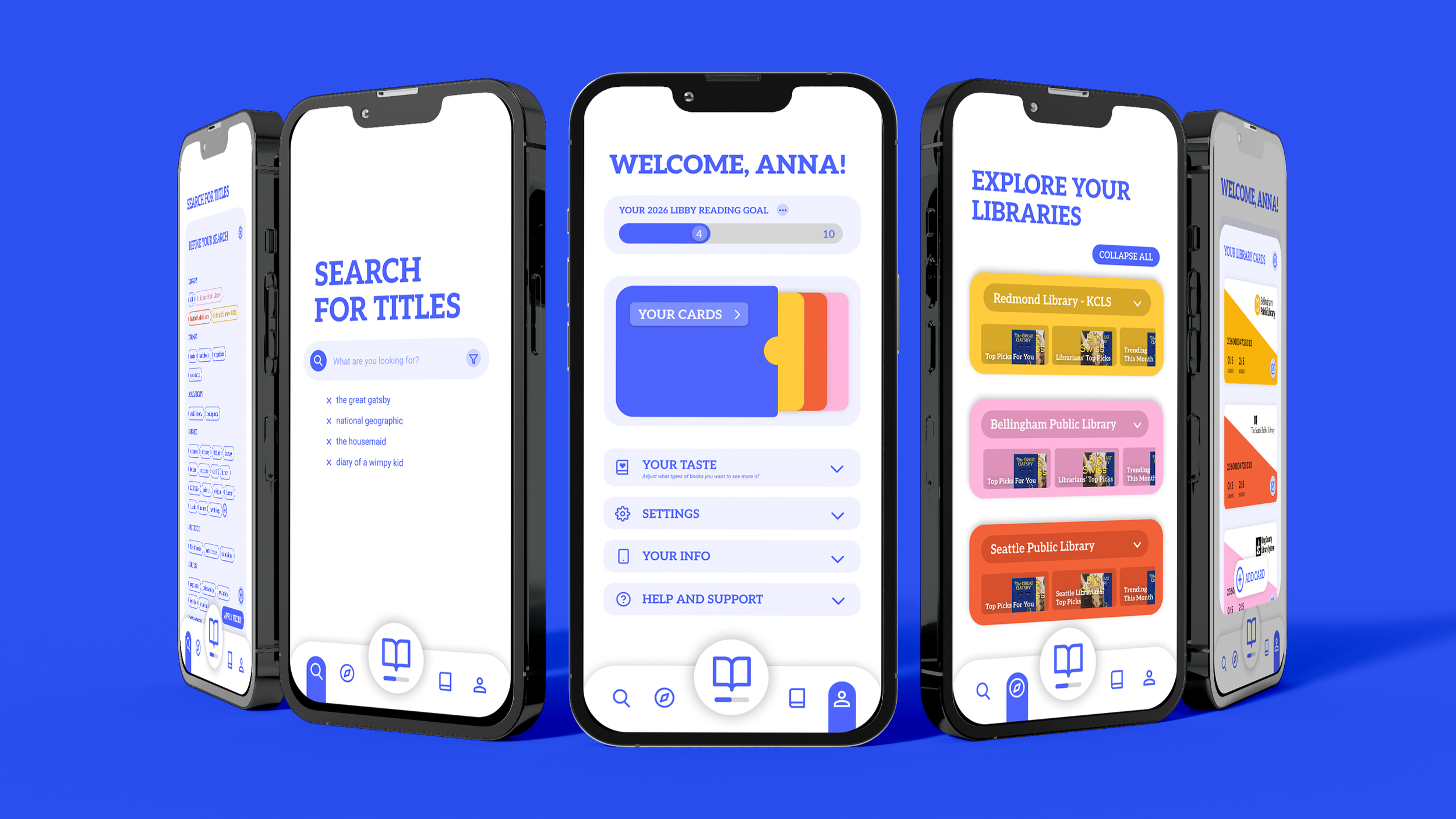
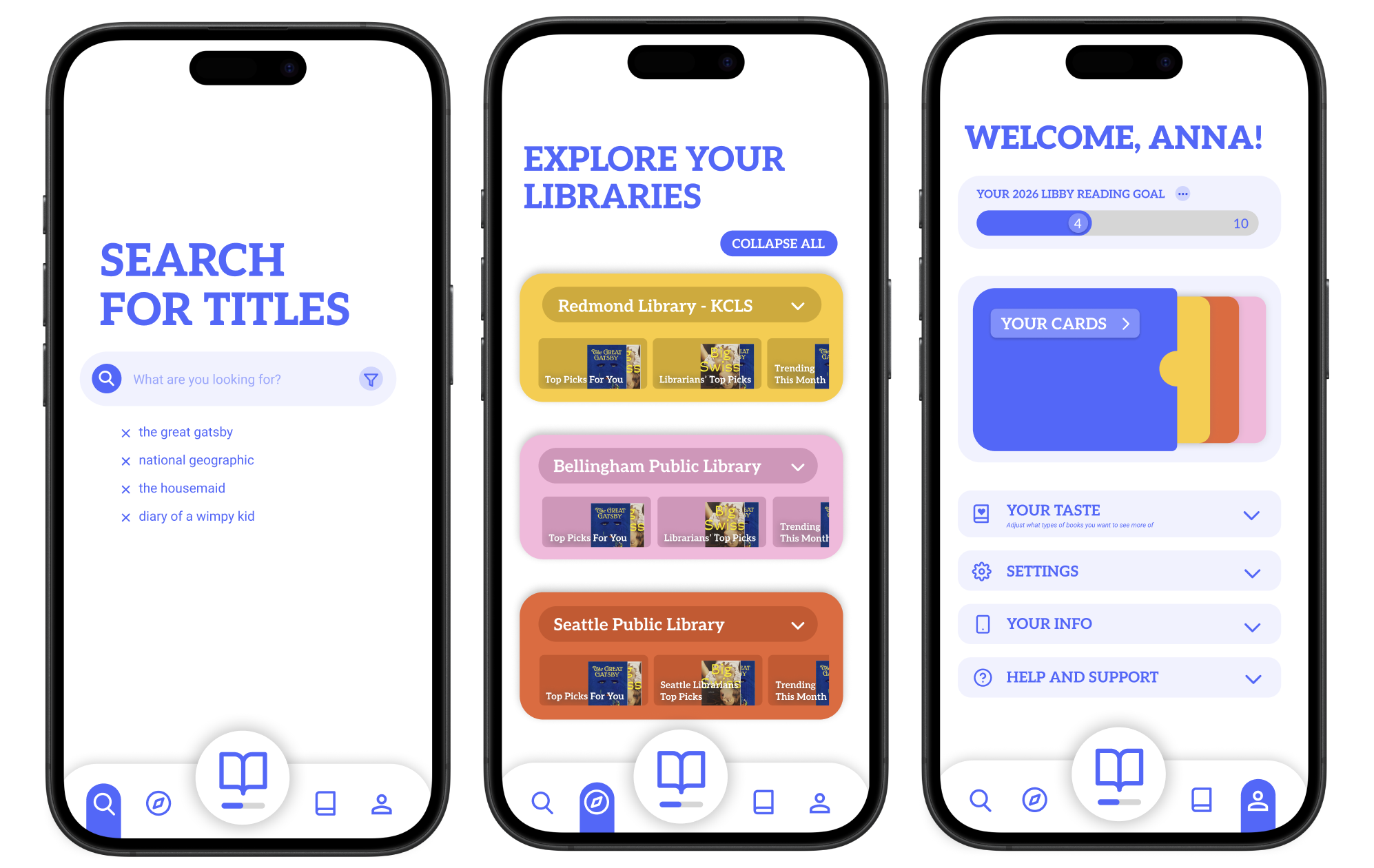
REDESIGNED SCREENS
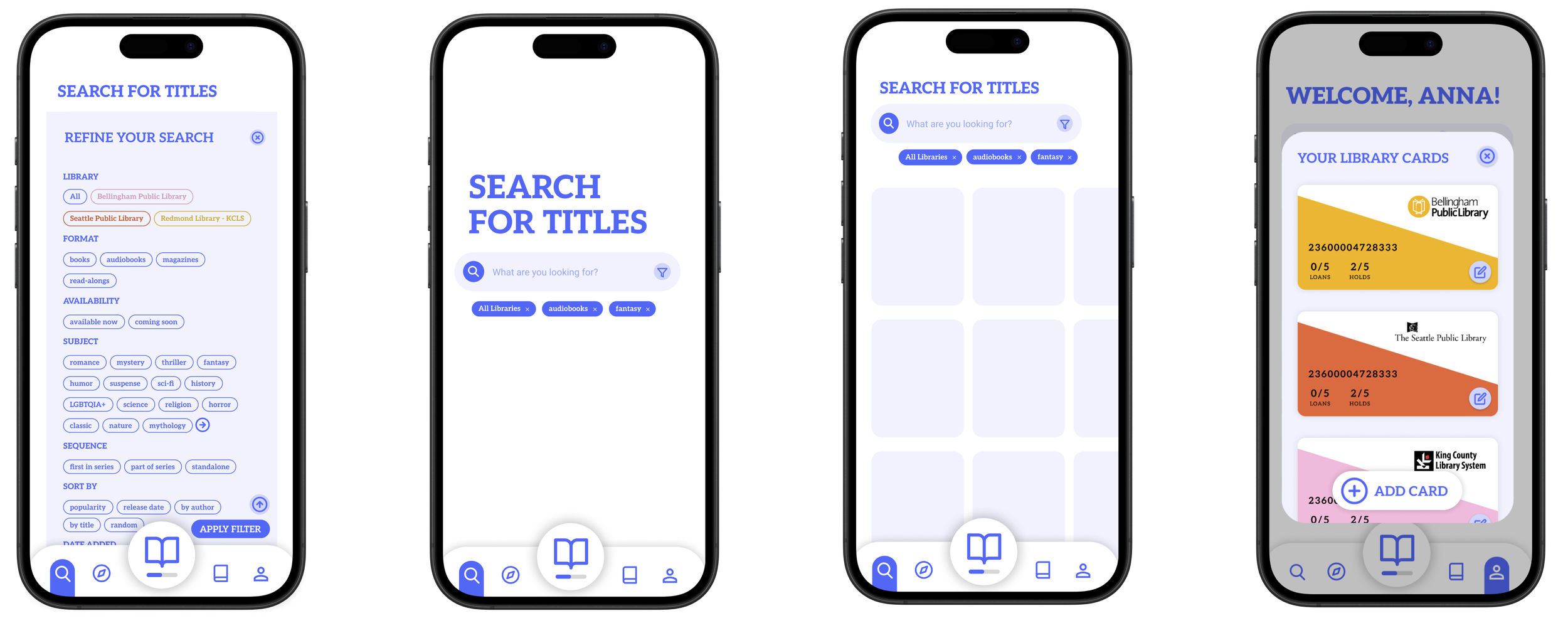
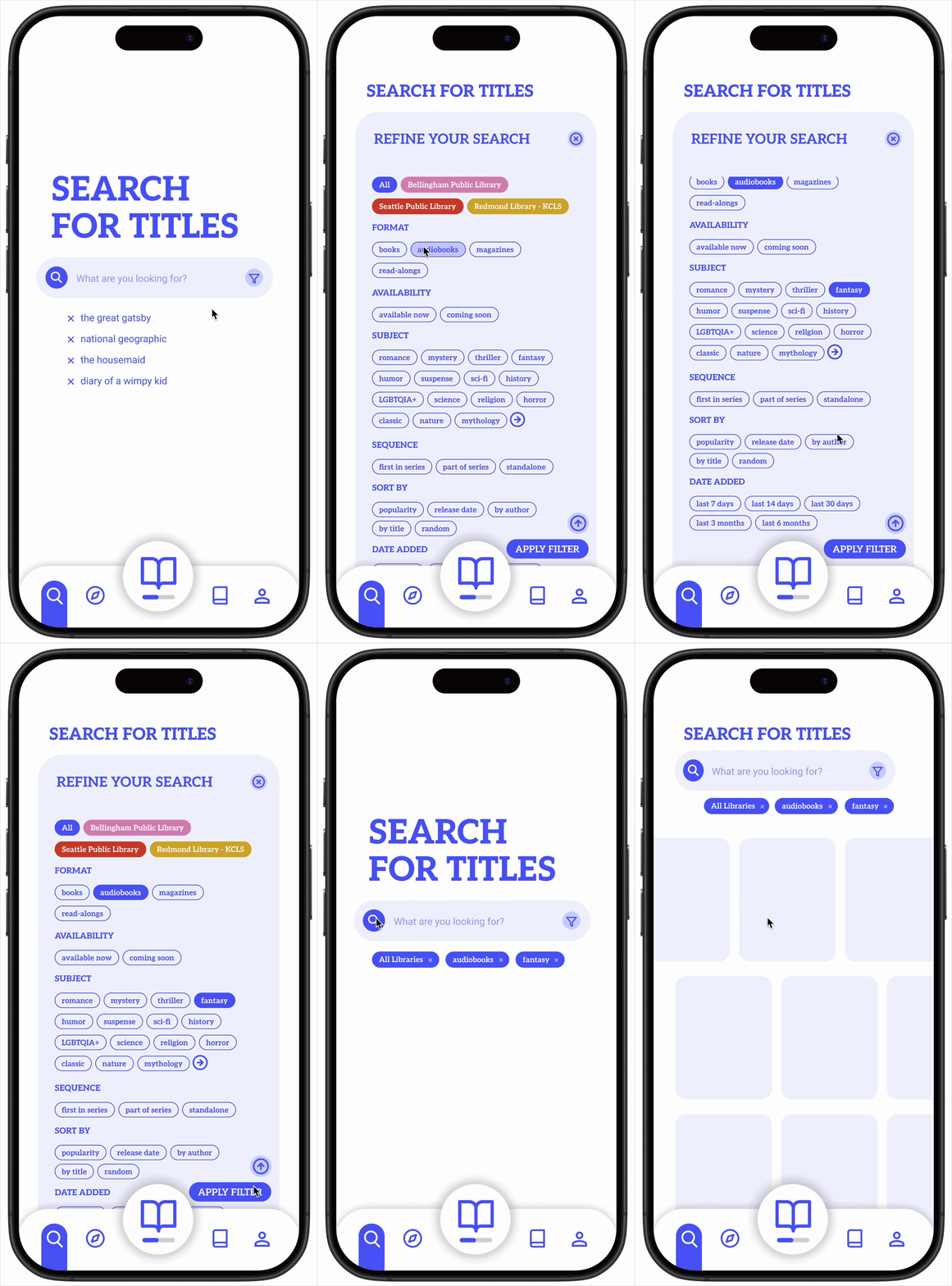
SEARCH PAGE
Simpler, minimal search page to reduce overwhelm.
Ability to search across all libraries, or multiple at a time.
Navigation bar has rounded features to look more friendly.
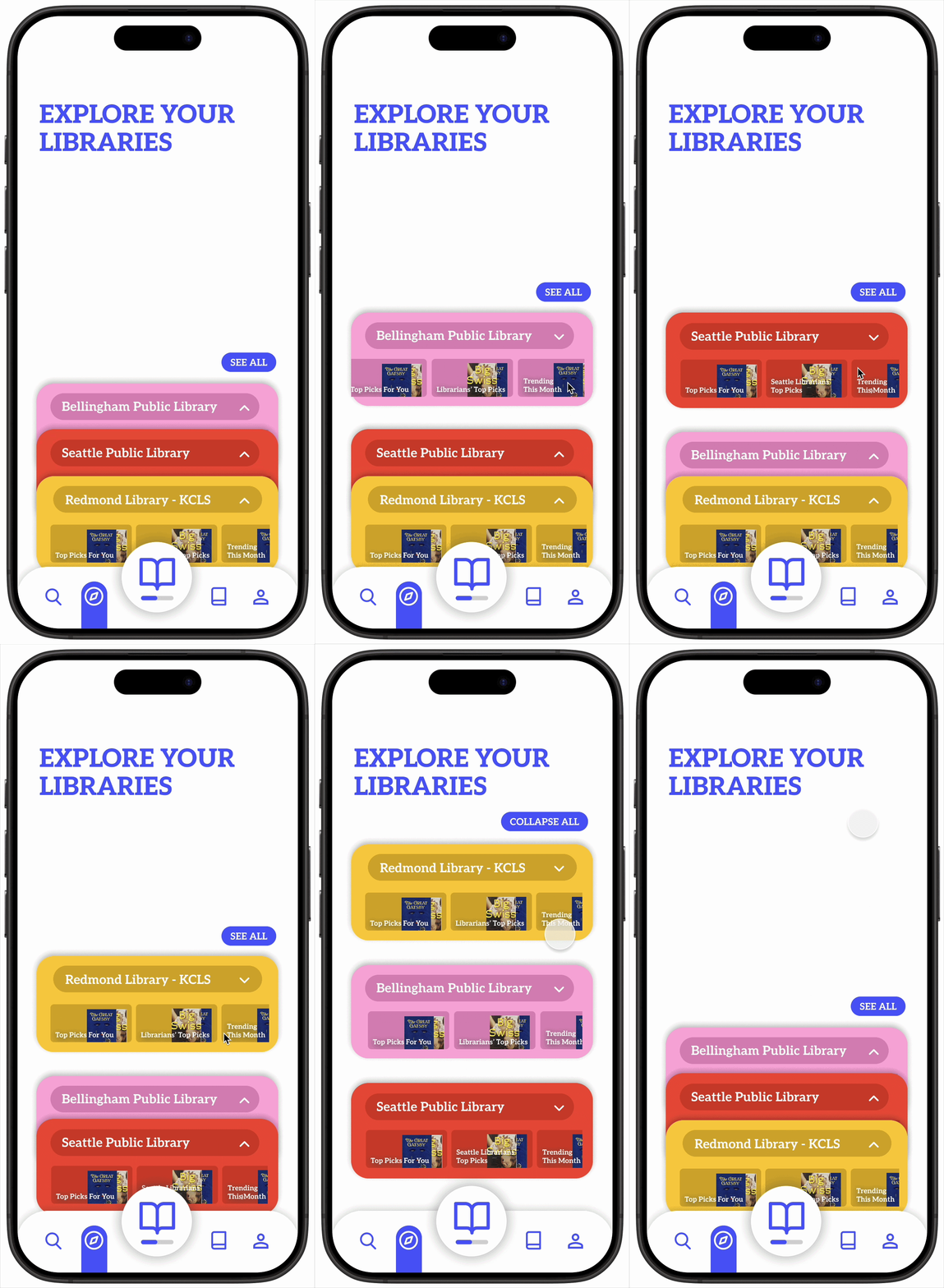
EXPLORE PAGE
Added “Your Top Picks” sections allows users to discover new books based on their reading history.
Added “Librarians’ Top Picks” section as to not erase librarians’ contributions to the library, and promote individuality between libraries.
Collapse-able sections to seamlessly explore each library at once.
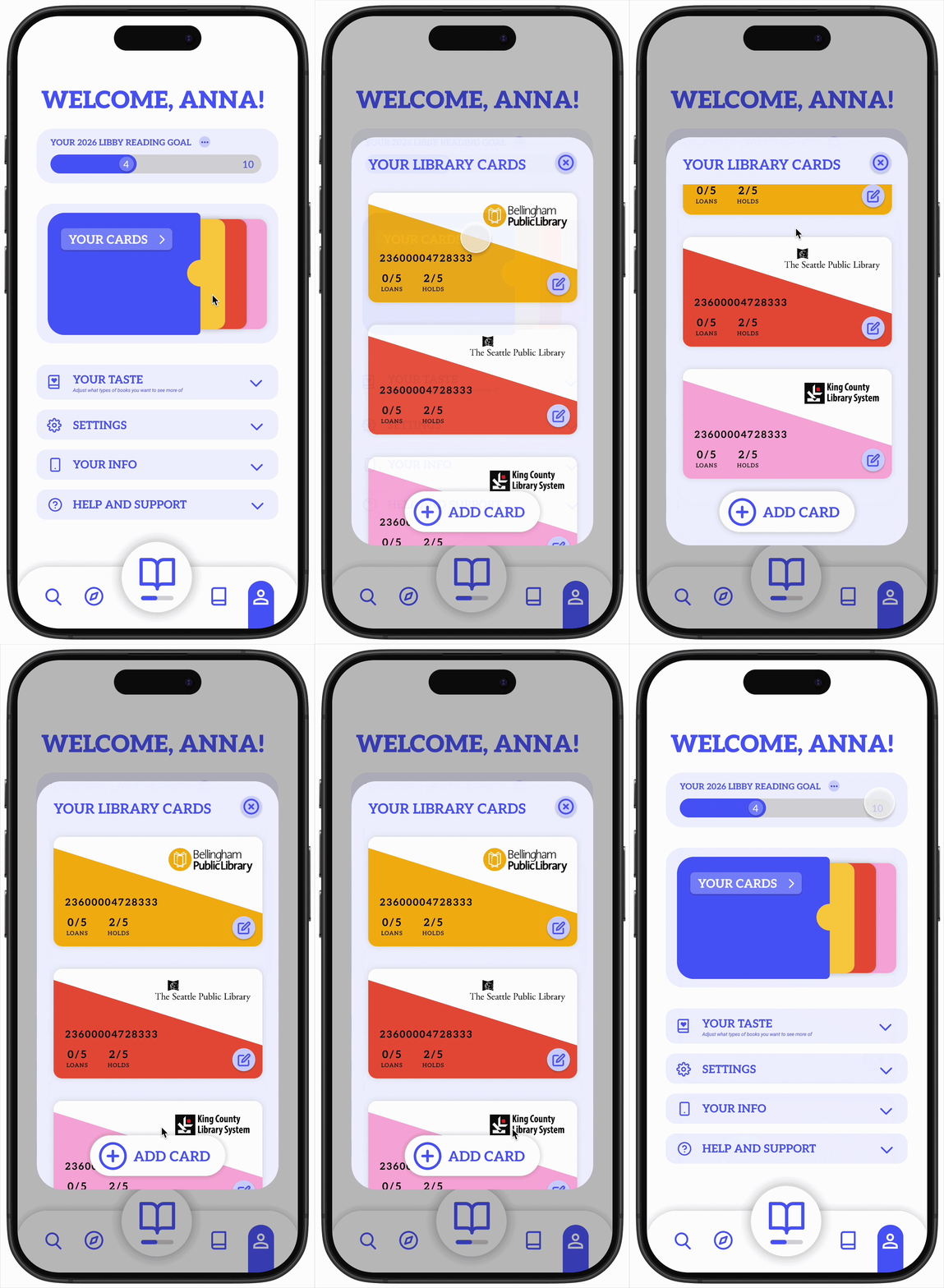
PROFILE PAGE
Profile page added to more easily access user’s library cards and app settings.
“Yearly Libby Reading Goal” added to promote app usage, reading habits, and personalization.
“Your Taste” section added so the user has control over what types of books they’re recommended.
“Wallet” section added to easily access and manage all library cards.
UI PATTERN LIBRARY